Anonymous TikTok Viewer: What No Login Really Means
An anonymous TikTok viewer claim should answer a precise question: can a creator identify your visit through a particular viewing feature? A tool accepting a public username without asking for a password does not answer that question. It only demonstrates an access workflow.
Our October 5, 2026 product check covered attempts to read available public account information and comments without providing a TikTok password. We have not completed a controlled test proving that these actions leave no creator-visible viewing record. This guide separates what you can observe immediately from what requires an account owner to check the other side. The privacy-policy worksheet added on October 27, 2026 is an editorial tool, not a new anonymity test or security audit.
Key Takeaways
- No login, no app and no creator-visible record are different claims.
- Profile visits, post views and Story views need separate checks.
- Following a link from a viewer to TikTok creates another step to evaluate.
- A test on one account or one content type cannot establish universal anonymity.
- A service’s logging and retention commitments need their own policy review.
Define what "anonymous" means for your task
Readers often want one of three things: to avoid installing an app, to avoid signing into TikTok or to prevent a creator from identifying a view. Decide which matters before choosing a tool.
The first two are straightforward to observe. You can see whether a browser workflow requires installation or a login prompt. The third needs creator-side evidence. A visitor cannot establish the contents of another person's viewing-history screen by inspecting only their own browser.
There is also a broader privacy question: what a website or its service providers receive when it handles a request. A creator visibility check does not audit network logging, cookies or retention. A label such as "anonymous" should therefore describe the particular behavior tested, rather than suggest that the visitor is unobservable everywhere.
For the access question alone, the without-app viewing guide explains the difference between a profile result, a video cover and actual playback.
Profile visits, post views and Stories are separate
TikTok documents different viewing features. Use the documentation for the specific action rather than assuming that one privacy setting governs every kind of content.
| Action you are evaluating | Original-platform reference | Question for a test |
|---|---|---|
| Opening a profile | Profile view history | Does this visit appear in the owner's relevant history? |
| Viewing a post | Post view history | What does the owner see after this particular post view? |
| Viewing a Story | Watching Stories on TikTok | Does the Story's viewer information change after the test? |
Read the current documentation and record the settings on the accounts used for the test. Feature availability and settings are part of the conditions, so a missing history screen may make the test inconclusive.
A normal video listed under a profile is not a Story. Similarly, a profile visit and an attempt to retrieve comments are different actions. Do not use a successful test of one to make a promise about another.
Inspect the full path through a viewer
A third-party page can display information itself, open an embedded view or send you to TikTok. Check the final destination before deciding what was tested.
In the October 5 TokViewer check, the video preview displayed a cover image. Open video on TikTok opened the original page for playback. Opening the preview and then following that link are two steps. A claim about the first does not automatically describe the second, particularly if your browser already has a TikTok session.
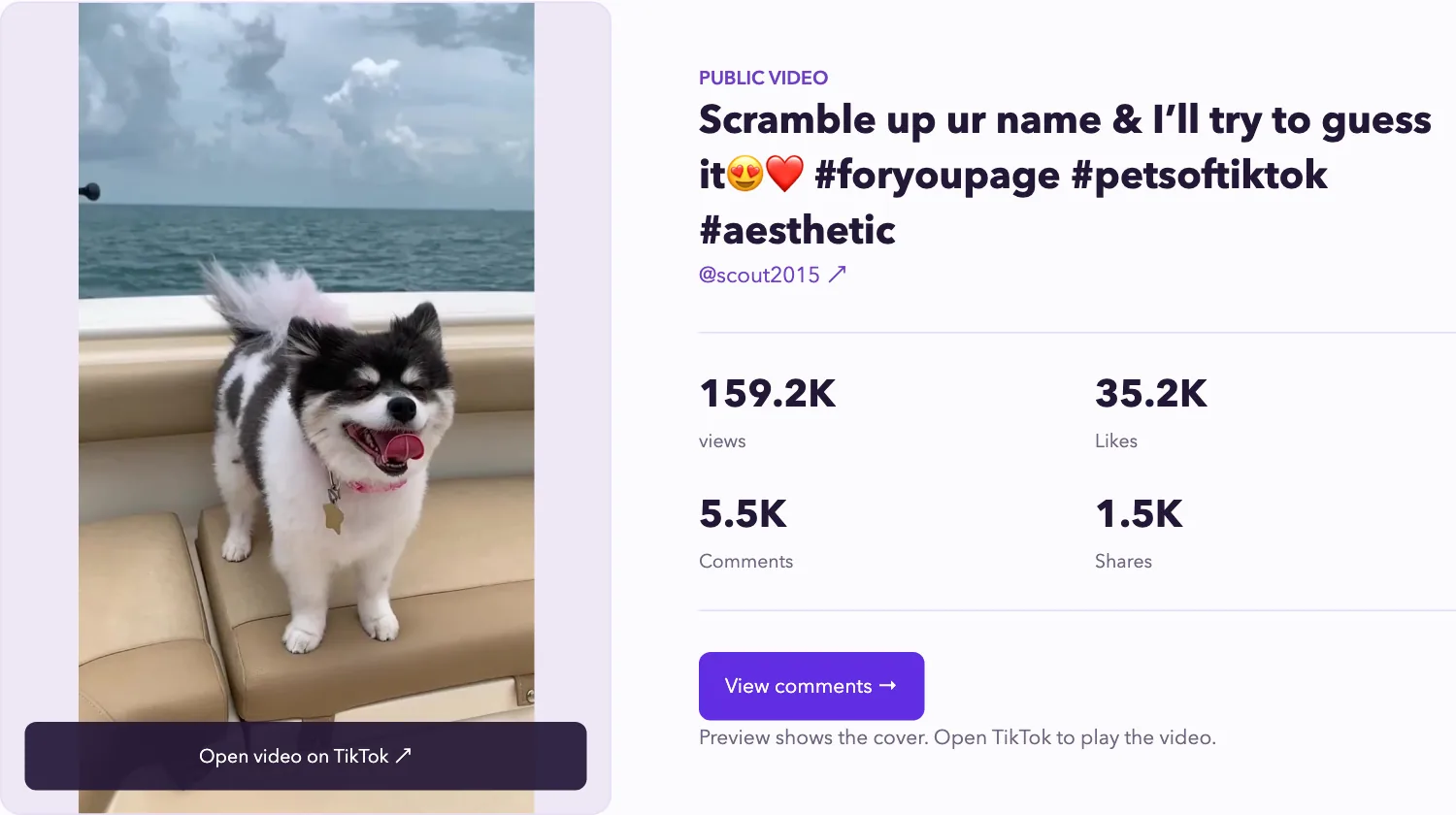
Existing product screenshot illustrating a preview and its original-site link. It is not a privacy test or a live result from today.
The same check covered a comment workflow on the TokViewer homepage. Returning comment text without a TikTok login prompt does not establish what TikTok or another party records. Treat the access result as access evidence until a separate privacy test supports more.
Evaluate anonymous TikTok Story viewer claims
An anonymous TikTok Story viewer can make several promises in one sentence. Separate them before deciding whether the evidence is useful. A lookup that begins without a TikTok login does not establish that the creator cannot identify a view, and neither observation tells you whether the viewing service keeps submitted usernames.
Copy the service’s exact wording and identify the audience: the creator, the viewing service or someone else using your device. “Private browsing” is too broad to evaluate until the service explains which relationship it means.
The examples below are hypothetical claims, not findings about a named provider.
| Claim on the page | Evidence to look for | What it does not establish |
|---|---|---|
| “No TikTok login required” | The complete lookup and result workflow, including any later login prompt | Creator-side anonymity or the service’s logging practices |
| “Anonymous to the creator” | A controlled Story-viewing check with the owner’s viewer information inspected | Absence of service-side logs or the same outcome for every account |
| “We do not store searches” | A policy identifying the covered inputs, retention period and exceptions | Independent proof that implementation matches the policy |
| “Private browsing” | An explanation of whether it refers to local history, creator visibility or server records | Protection across all three without separate support |
For the current viewing workflow and its documented scope, see the TikTok Story viewer guide. A successful media result and a supported privacy claim are separate findings.
Read the policy for the input you will submit
Look for the sections that address search inputs or submitted usernames. A general statement about respecting privacy may not explain how those inputs are handled.
Record what the policy actually says about:
- Information received: whether it discusses submitted handles, request information or other relevant inputs.
- Retention: the stated period, deletion conditions and exceptions, if provided.
- Sharing: the recipients or categories named in the policy and the stated purposes.
- Operator and contact: who makes the commitment and where an unanswered question can be sent.
- Policy date and scope: which service and workflow the document covers.
If a detail is absent, write “not explained on the pages reviewed.” Do not turn that into “not collected.” A policy is evidence of the operator’s stated commitment; it is not a server inspection or an independent audit.
For example, a hypothetical service may promise not to request your TikTok password while saying nothing about retaining search inputs. Record both observations. The password statement does not answer the retention question.
Keep a privacy decision record
Use this template alongside the creator-side test record below. It preserves the difference between a policy statement, an observed action and an unanswered question.
Service and page URL:
Review date and policy date, if shown:
Exact claim:
Audience: creator / viewing service / shared device
Supporting policy section or observed workflow:
Creator-side test, if performed:
Unanswered question:
Decision: use public lookup / ask for clarification / postpone
Keep credentials and private account details out of the record. A useful note explains the decision without becoming another store of sensitive information.
Revisit the decision if the service starts asking for an extension, a login or a download. A previous review of a public username lookup does not establish what happens in a different workflow.
Run a controlled creator-side check
Use accounts and content you control, or work with an owner who agrees to help. You need access to the relevant viewing information before and after your test. If you cannot inspect that side, you can still document the visitor workflow, but the creator-visibility question remains unanswered.
- Choose one action: a profile visit, a post view or a current Story view. Record the exact source and time.
- Record the owner's relevant settings and available history screen before starting. Record whether the visiting browser is signed into TikTok.
- Perform a baseline action through TikTok directly, using a known test account when the feature supports it. Check whether the owner's screen registers the expected event.
- Run the viewer action in a separate browser session. Note redirects, prompts and any playback you actually observe.
- Return to the owner's screen and record the result after an appropriate recheck. Keep both the before and after observations.
- Repeat a meaningful check if needed, changing only one condition at a time.
If the baseline never appears, a later absence is weak evidence: you have not shown that the observation method can detect a view. If the feature is unavailable, report that limitation rather than calling the test a pass.
Do not create a Story result by substituting an ordinary post. An expired Story also cannot answer what would happen for a currently available one.
Report a bounded result
Use a short record containing the date, content type, exact URL, browser session state, settings, final destination and creator-side observation. For example: "Under these recorded settings, the test visit did not appear in this history screen during our rechecks." That sentence stays tied to what you checked.
Avoid conclusions such as "100% anonymous," "no trace" or "works for private accounts" when the evidence is a login-free input form. Public data access does not authorize or demonstrate retrieval of private or deleted content.
If your actual task is reading a video's discussion, start with the public comment viewer guide. It explains capture limits and source verification without requiring an anonymity claim. Choose an access workflow for the job it performs, and evaluate any privacy promise with evidence from the relevant viewing feature.