TikTok Story Viewer Not Working? Check These Five Things
A TikTok Story viewer can fail even when the creator's profile loads. Start by checking the exact account, whether a Story is currently available, and whether the failure happened during lookup or playback. An empty list, a blocked request and an expired item are different results; treating them all as “no Stories” hides the problem.
Key Takeaways
- Check the username before troubleshooting the media.
- Compare a currently available Story on TikTok with the browser result.
- Separate account lookup, Story retrieval and video playback failures.
- A public viewer does not bypass private-content restrictions or recover expired Stories.
1. Confirm that you submitted the right account
Use the exact username or profile link, not just a display name. Two creators can have similar names and avatars, and a profile summary can look plausible even when it belongs to someone else.
If the lookup returns a different handle, fix the input before retrying. If account information itself cannot be loaded, you have not yet reached the Story-reading step. Record that as an account lookup failure rather than guessing how many Stories the creator has.
For the normal workflow, see how to view public TikTok Stories without an account. That tutorial covers the successful path; this article focuses on diagnosing where it breaks.
2. Establish whether a current Story exists
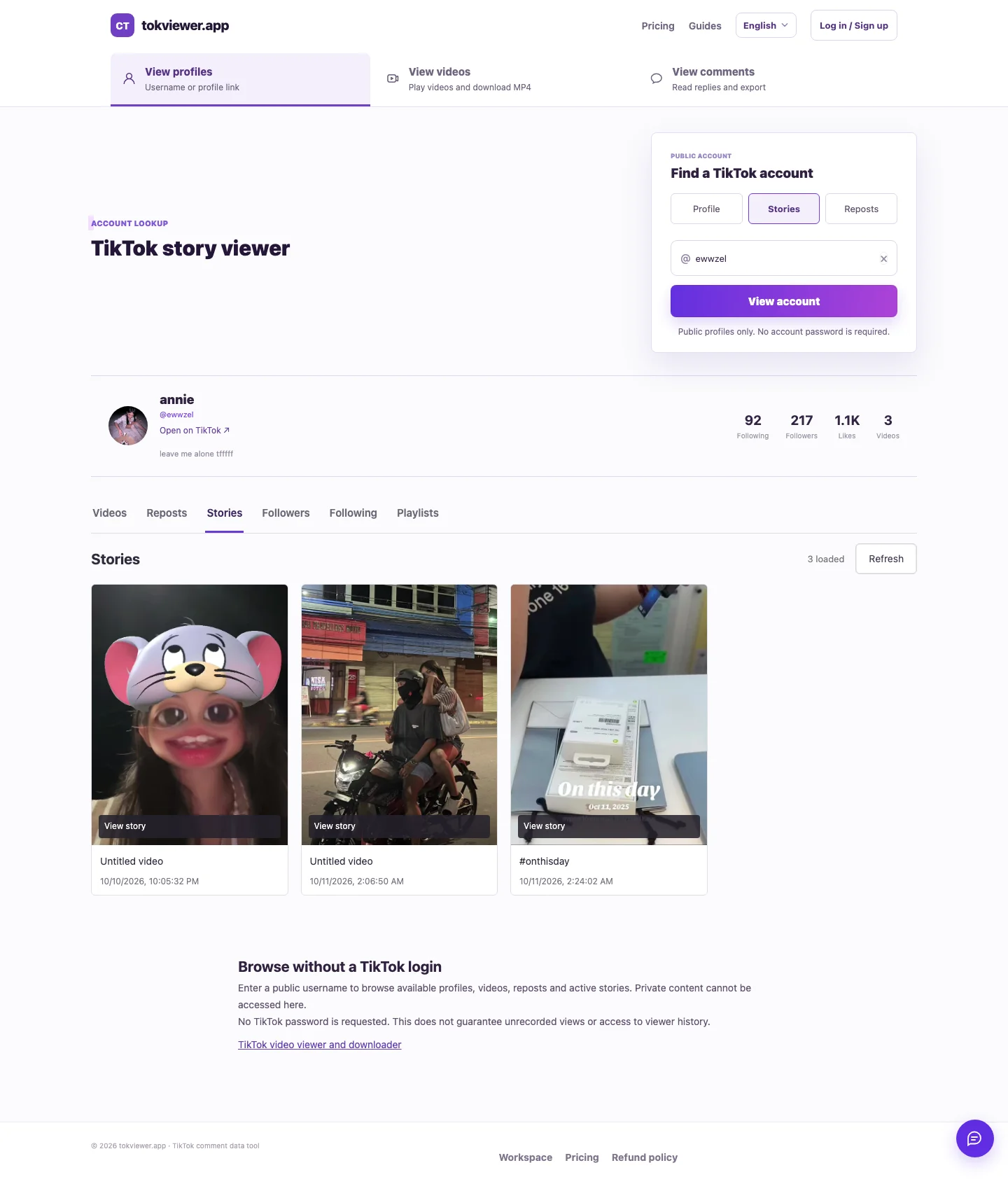
Check the same creator on TikTok at the time of your test. A screenshot from yesterday or a search result mentioning a Story is not a current baseline. In our October 11, 2026 check of the public account ewwzel, TikTok opened its Story overlay through the avatar ring. A separate tab literally labeled “Stories” was not required.
TikTok's official Stories documentation describes ordinary Stories as photos or videos visible for 24 hours. It also explains that creators can retain selected Stories as Highlights. If an older item still appears, identify its content type before concluding that the usual window does not apply.
A public profile can exist without a currently readable Story. Conversely, a request failure cannot prove that a Story is absent. If you cannot independently establish current availability, keep that uncertainty in your notes.
3. Read the result before retrying
Find out whether the viewer returned an actual content result or an error. Loading profile details and failing to load Stories are compatible outcomes.
| Observed result | What it establishes | Useful next check |
|---|---|---|
| Account information fails | Account lookup did not succeed | Username, link and source accessibility |
| Profile loads; valid empty Story response | No Story items were returned in that response | Current availability on TikTok |
| Forbidden or source error | The request was rejected or failed | Preserve the error and compare the original source |
| Story cards appear; video will not play | Listing succeeded; playback still needs checking | The player error and whether the item remains current |
| Private-content restriction | This public workflow cannot access the restricted result | Use TikTok's permitted audience access |
Keep the username, test time and exact wording from each attempt. Changing the account, device and network at once makes a new outcome difficult to explain. Start with one independently confirmed active Story and change one variable at a time.
4. Distinguish a thumbnail from working playback
A thumbnail proves that an image loaded; it does not prove that the video stream is playable. Open the returned item and check whether playback time advances. For a photo Story, check that the actual photo displays rather than only its small preview.
During our October 11 production test, TokViewer played three videos from ewwzel and one from ddylaar, and displayed two photos from ddylaar. These six successful items showed that the public workflow could work at that time. They do not measure reliability for every creator, and the sample usernames may return different results later.
A playback failure after a successful listing should remain labeled as a media failure. Reclassifying it as “no Story found” discards useful information about where the request succeeded.
5. Check the limits of the requested feature
Story viewing, Highlight viewing and regular-video downloading are separate capabilities. A tool that downloads a regular TikTok post has not thereby demonstrated Story downloads. A tool that returns a saved Highlight has not thereby recovered an expired ordinary Story.
TokViewer's verified Story workflow covers public video playback and photo display. It does not establish private-content access, a separate Story download feature, or recovery after expiry. The Story Viewer guide records the current verified scope and earlier failed attempts.
When to stop retrying
If the source no longer exposes the item, more repeated submissions do not establish a way to retrieve it. If the source is available but the viewer fails, preserve the timestamp and failure stage for a support report. Never send a TikTok password, login cookie or other credential with that report.
Try TokViewer's Stories entry with an exact public account when you have a current baseline. Judge the result by actual media display, and keep a failed lookup distinct from a confirmed empty response.