Which TikTok Comment Export Format Should You Use?
Choose the export format according to what you will do next. Use CSV when you need a portable table for scripts or many spreadsheet tools, Excel (.xlsx) when you want a workbook with text-safe comment IDs, Word (.docx) when you need an editable reading document, PDF when the result is ready to share, and TXT when plain text is the most useful output. In the TikTok comment workspace, capture the available public comments first, select a format, and sign in before downloading.
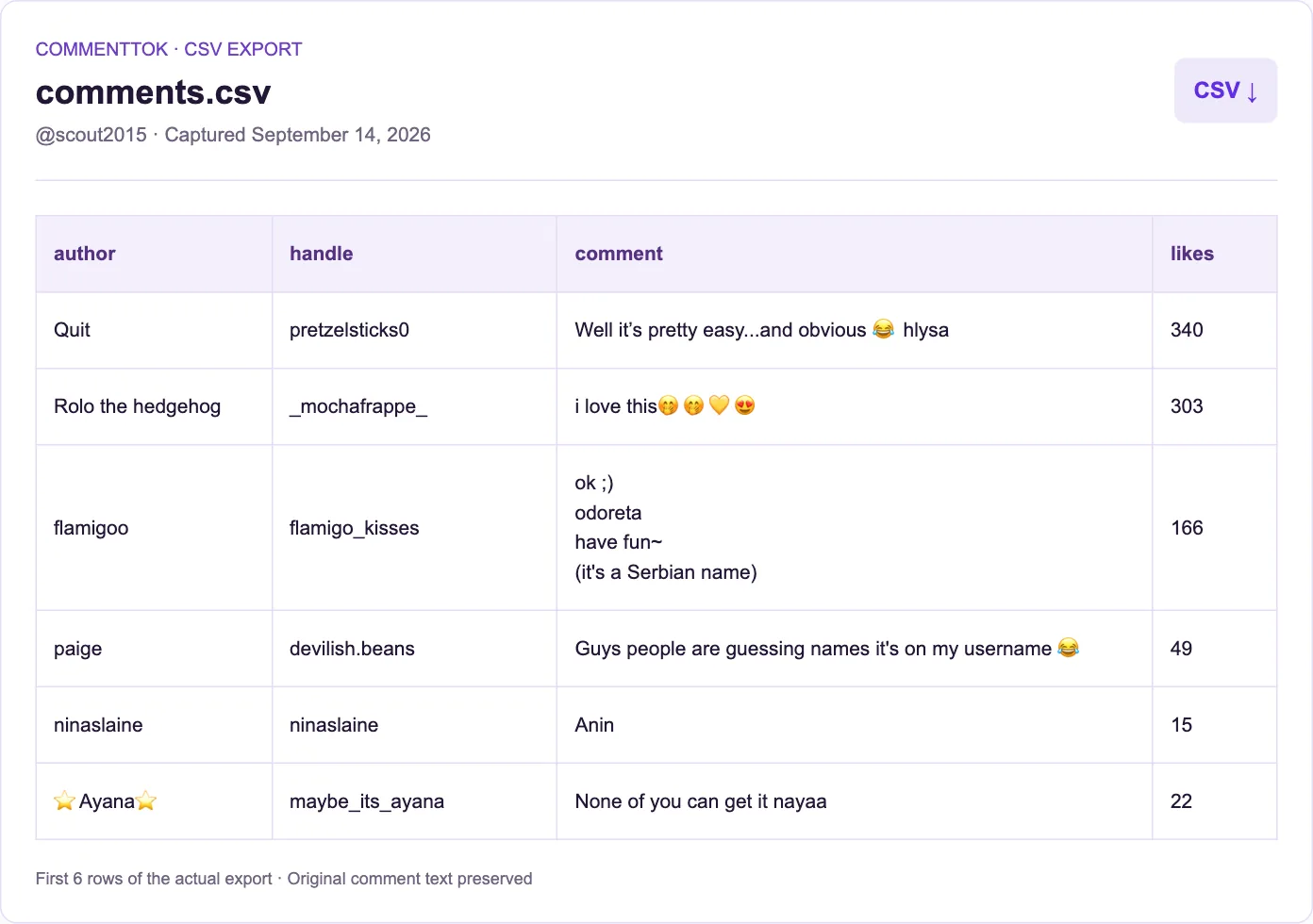
This guide compares the five formats currently offered in the workspace. It describes the output step after a comment result appears; it does not claim that every public comment or reply will be returned for every video.
Key Takeaways
- Choose CSV for analysis, automation, and the widest import compatibility.
- Choose Excel for a ready-to-open workbook and text-safe identifier cells.
- Choose Word for editing, PDF for a stable shared copy, and TXT for simple text processing.
- All exports represent the rows currently available in the workspace, and downloads require signing in.
Which format is best for your next step?
The best choice depends on the destination, not on the number of formats in the selector. If another tool will read the file, start with CSV. If a person will review or present the result, choose Word or PDF. If the next step is spreadsheet work, choose Excel unless you specifically need a CSV for a script or database import.
| Format | Best for | What to remember |
|---|---|---|
| CSV | Scripts, databases, Google Sheets, broad compatibility | Import rules still matter for dates, IDs, and formula-like text. |
| Excel (.xlsx) | Spreadsheet review and filtering | Open the workbook directly; it preserves identifier values as text in the current exporter. |
| Word (.docx) | Editing, annotations, and a readable document | The output is organized as headings, comment text, and metadata. |
| Sharing a fixed layout or an approval copy | Current exports use page images, without a selectable text layer. | |
| TXT | Plain-text tools, archives, and simple scripts | It is readable everywhere but has less table structure. |
For a field-by-field explanation of the CSV output, see how to export TikTok comments to CSV. For a hands-on spreadsheet workflow after import, use the Google Sheets analysis guide.
Choose CSV when another system will read the file
CSV is the most flexible starting point because it is plain tabular data. It works well for a script, a database import, a spreadsheet, or a handoff to someone using a different operating system. It is also the format to choose when you want to inspect the raw column structure before deciding how to analyze the comments.
The current export contains comment text, author fields, engagement values, available platform IDs, reply relationships, dates, source information, and capture time. Empty fields can be meaningful: an unavailable platform ID is different from a locally generated display fallback, and an unavailable reply relationship should not be treated as proof that no reply exists.
CSV does not carry spreadsheet type instructions in its quotation marks. When opening it in Excel or another spreadsheet, check how long IDs, dates, leading zeros, and formula-like strings are interpreted. If the file will become a workbook, follow the guide to keeping TikTok comment IDs intact in Excel and import identifier columns as text.
The current CSV exporter adds a UTF-8 byte-order mark and prefixes formula-risk values with an apostrophe. A general CSV parser may retain the mark in the first header or the apostrophe in a value. For example, a comment beginning with =SUM(1,2) receives a leading apostrophe in CSV, while XLSX stores that comment as a literal string. Use a BOM-aware reader and account for this transformation when comparing exported text; do not blindly remove every leading apostrophe or assume CSV values are character-for-character originals.
Choose Excel when the work will stay in a spreadsheet
Choose Excel when you want to open the captured rows directly in a workbook, filter them, add notes, or pass the file to a colleague who works primarily in Microsoft Excel. The current XLSX exporter writes identifier fields as strings, while counts remain numeric and the reply flag remains a Boolean value. That preserves the distinction between a comment ID and a number you should calculate.
An XLSX file is also useful when you want a cleaner first handoff than a CSV import. You still need to respect the source boundary: a workbook can preserve the rows returned by the capture, but it cannot add comments that were unavailable or reconstruct a missing parent ID. Use the returned row count as the size of the observed result, not as a claim about the video's complete comment inventory.
Choose Word when a person needs to edit the result
Word is useful for an editorial review, an annotated research note, or a document that combines comments with written decisions. The current document export presents the video ID and captured-row count, then places each comment in a readable sequence with its available metadata underneath.
Use Word when the next action is to highlight, rewrite, annotate, or discuss individual comments. It is less convenient than CSV or Excel for sorting thousands of rows, because the document is designed for reading rather than relational analysis. If you need category totals or a pivot table, export to CSV or Excel and continue with the Google Sheets workflow.
Choose PDF when the layout should stay fixed
PDF is a good choice for a review copy, a meeting packet, or a record that should look the same when opened on another device. It separates the reading and sharing step from the analysis step: recipients can view the document without needing to import a table or install spreadsheet software.
Use PDF after you have checked the captured rows and decided that the visible document is the deliverable. Keep the CSV or Excel source as well when someone may need to filter, sort, or verify a particular ID later. A PDF is convenient for circulation, but it is not a substitute for the underlying structured export.
The current PDF exporter creates page images rather than a selectable text layer. Do not rely on it for copying comment text, text search, or screen-reader access. Choose Word or a structured export when those tasks matter; any OCR a recipient's software provides is separate from this export.
Choose TXT for the simplest plain-text workflow
TXT is the smallest conceptual jump from the captured comments to a text editor, command-line tool, or plain-text archive. It is useful when formatting is intentionally minimal or when a downstream tool accepts text but does not need a table schema.
The current text export includes the video ID, captured-row count, each comment, and available metadata as readable blocks. That makes it easy to search and copy. It also means that TXT is a poor choice when you need reliable column-based filtering, joins, or numeric aggregation; choose CSV or Excel for those tasks.
What stays the same across formats?
The format changes how the available rows are packaged. It does not change the upstream availability of the public data. The workspace can display a result before an export is downloaded, and the result can be empty, partial, or missing particular fields. A successful file creation therefore means that the current result was serialized; it does not prove that the source returned every comment or reply.
The export workflow also has its own access step. After you choose a format, the site checks the session before creating the download. If you are not signed in, use the sign-in prompt and retry the export. A TikTok password is not requested by this workflow; signing in to tokviewer.app is the requirement for downloading the result.
A practical format decision in four steps
- Decide whether a person or a tool is next. Choose Word or PDF for reading and sharing; choose CSV, Excel, or TXT for a tool-oriented workflow.
- Preserve identifiers before analysis. Choose Excel or import CSV identifier columns as text when comment IDs or parent IDs matter.
- Keep the source boundary visible. Record the video URL, capture time, and result status alongside conclusions. Do not call a partial result a complete inventory.
- Keep a structured copy for recovery. Even when PDF or Word is the final handoff, retain CSV or Excel if someone may need to filter or audit the source rows later.
If you have not collected the comments yet, start at the TikTok Viewer homepage and open the comment workspace. If you are starting from a creator rather than a video, the TikTok profile guide explains how profile details, available video cards, and comment collection relate to one another.
Frequently Asked Questions
Is Excel better than CSV for TikTok comment exports?
Excel is more convenient when the next step is spreadsheet review and you want a workbook that opens without an import dialog. CSV is more portable and easier for scripts, databases, and many spreadsheet tools. Choose based on the next system, and keep identifier columns as text either way.
Can I export comments without signing in?
You can inspect captured results in the workspace, but the current download flow requires signing in before it creates a CSV, XLSX, DOCX, PDF, or TXT file.
Does changing the format retrieve more comments?
No. The format controls serialization after the result is available. It does not expand the upstream response or turn a partial result into a complete comment inventory.
Should I keep both PDF and CSV?
Keep both when the PDF is for sharing and the structured file may be needed for later filtering or verification. If the result is only for a quick plain-text note, TXT may be enough.
The right export format is the one that matches the next decision. Use CSV or Excel when you need to inspect and analyze rows, Word or PDF when you need a human-readable handoff, and TXT when simple searchable text is the whole requirement. For the CSV field details and limits, continue with the CSV export walkthrough.