TikTok Profile Viewer: View Public Profiles and Videos
To view a public TikTok profile, enter its current username or full profile URL in the TikTok profile viewer, choose View account, and inspect the information returned. When video cards are available, choose View video to see an individual post’s details. If the profile loads but its video list does not, use a known public video link directly rather than concluding that the creator has no posts.
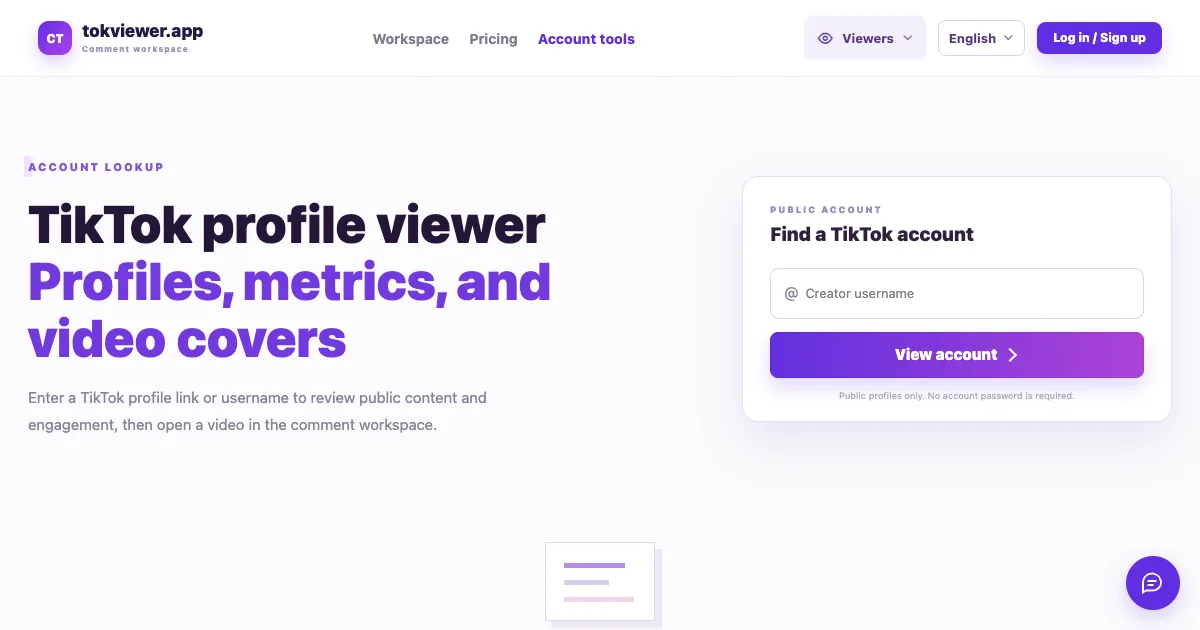
A TikTok profile viewer starts with an exact public account, rather than searching every account for a display name. This guide explains what the returned profile, metrics and video list can establish, and how to handle a missing result. It complements the TikTok Viewer guides by starting with a creator rather than a comment export.
Updated October 11, 2026, against the current product implementation. The September 17 cover is a historical empty-input screenshot; no new live account capture was performed for this update.
Key Takeaways
- Use the current @username or profile URL; a display name alone can identify the wrong account.
- Profile details and video cards can load independently, so an empty list is not a verified zero.
- The video viewer shows a cover and details; open TikTok to play the original video.
- Public-account status does not make every post public or guarantee that a viewer can retrieve it.
Start with the username, not the display name
Use the handle shown after @ on the creator’s profile. TikTok distinguishes this username from the nickname displayed elsewhere, and changing a username also changes the profile link. If an old bookmark fails, confirm the current handle with the creator’s current profile or an established link they maintain. See TikTok’s username documentation.
The account input accepts a username, an @username, or a full profile link. For example, example_creator and https://www.tiktok.com/@example_creator illustrate the two input shapes. This is placeholder text, not an account used in a test. Substitute the real public profile you intend to review.
Use a full profile URL copied from TikTok when possible. A video link belongs in the video viewer; a name copied from a caption may be a nickname rather than a handle. Before using a result in a report, compare its handle, display name, and context with your intended source. Matching a display name alone does not establish identity.
Look up the public profile
Open the account lookup page and follow these steps:
- Paste the current profile URL or enter the username into Creator username.
- Choose View account and wait for the request to finish.
- If profile details appear, check the returned handle before reviewing the metrics.
- Read the Public content area separately: it may contain video cards or a message saying no videos were returned.
The current lookup does not ask for a TikTok account password. That describes the input flow, not a guarantee of anonymous browsing or access to every public profile. If the source does not load, the tool cannot establish whether the account is absent, restricted, or temporarily unavailable from that request alone.
TikTok explains that public-account content may be visible on or off its service depending on the selected privacy settings. Private accounts restrict their audience. This workflow does not unlock private content; see TikTok’s public and private account explanation.
Read the profile and video list as separate results
A loaded profile and a populated video list are different observations. The profile panel may show the avatar, name, handle, bio, followers, likes, and a video count. The cards below show the items available to that lookup. Do not use the number of returned cards as the creator’s total published output.
| What you see | What you can record | What still needs checking |
|---|---|---|
| Handle and profile details | The identity displayed in this result | Whether it is the intended creator |
| A numeric profile metric | The value shown at the time of review | Its freshness and any rounding or fallback behavior |
| A dash or missing field | The interface did not provide a usable value | Whether the source value is zero or unavailable |
| A list of video cards | These items were returned in this lookup | Whether other posts exist or were omitted |
| Profile loaded, no cards | The list was not returned | The creator’s actual post inventory |
The current interface keeps numeric zero values and shows a dash for missing profile and video-card metrics. Large profile counts are displayed in compact notation, which can round a returned number. The bio also has fallback text when no text is returned; that is an interface message, not a quote from the creator. Verify consequential numbers on the original post or profile, and record unresolved values as unknown in your own notes.
If you need all posts, this page is not a complete inventory export. Do not calculate posting frequency, average views across an entire account, or a deletion count from the cards it happens to return. Missing items have not been observed, so their properties cannot be inferred from the visible sample.
Open one video and continue to its comments
When a card is available, select View video. The video viewer accepts a specific TikTok video URL and presents the returned cover, description, creator, and engagement fields. It is a details preview: choose Open video on TikTok to play the original. A cover image is not evidence that full playback occurred.
For comment research, choose View comments to carry the video URL into the comment workspace. If the account page did not return cards, you can instead paste a known public video link directly into the video viewer or comment workspace.
Comment collection is a separate request with its own availability limits. A visible profile or video cover does not establish that all comments or replies will load. Follow the CSV export walkthrough once comments are available; downloads require signing into this site. The export workflow is separate from entering a TikTok password, which this lookup does not request.
Handle an empty result without guessing its cause
First distinguish a failed account lookup from a loaded profile with no returned video cards. They call for different notes and checks.
Starting a valid new account lookup clears the previous account and video list before the request. A failed new account request therefore does not leave the previous profile as its result. Loading more content within an already loaded account is separate: a failed continuation can retain the items already loaded. Read the error and pagination notices before assuming that the visible list is complete.
| Situation | Next useful action |
|---|---|
| The username is rejected or the account fails to load | Check spelling and the current full profile URL; preserve any error text |
| Profile details load but no video cards appear | Record “video list unavailable”; try a specific public video link you already have |
| A post is missing from a public profile result | Check that post’s own visibility on TikTok; do not label it deleted from this lookup alone |
| A value is blank, a dash, or an uncertain zero | Keep it unresolved until a source check establishes the value |
| The original source also asks for access you do not have | Stop that lookup and record the access limit |
Account visibility and post visibility are separate settings. TikTok’s post privacy documentation explains that a public-account post can be shared with Everyone, Friends, or Only you. A public profile is therefore not evidence that each post is available to everyone.
After checking the input, a later retry may help distinguish a temporary failure from a repeatable one. Repeated failure still does not prove the account was removed. Keep the observation and your interpretation separate: “no video cards returned at review time” is supportable; “this creator has stopped posting” is not.
TikTok profile viewer questions
Can I view a TikTok profile without logging in?
The TokViewer account lookup does not ask for a TikTok password or require a TokViewer sign-in to submit a public username. This describes the tool's input flow; it does not guarantee that TikTok will make a particular profile or post available in every session. Exporting captured comments is a separate signed-in feature. For a broader browsing workflow, see viewing TikTok without the app.
Is a TikTok profile viewer anonymous?
A password-free lookup does not establish anonymous or untracked access. This guide does not claim that TokViewer bypasses TikTok's profile-view rules, prevents a view from being recorded, or hides network activity. If anonymity matters, do not infer it from the absence of a login form.
Can it show a private TikTok account?
This public-profile workflow does not unlock private profiles or restricted posts. A tool result is not permission to access content outside the audience chosen by its owner. Use the original profile to check the access available to you; do not treat a missing result as proof of deletion.
Why does the profile load but no videos appear?
Profile information and content retrieval are separate results. Check the notice under the content list and compare the original profile. If you already have a public video URL, open that specific post instead. Neither an empty returned list nor a failed continuation proves that the creator has zero posts.
Can I watch videos or read comments from the profile viewer?
Available video cards lead to a details preview. Open the original TikTok video for playback, then use the TikTok comment viewer guide for a separate public-comment request. If comments do not load, follow the comment-loading diagnosis rather than assuming a successful profile lookup guarantees the discussion.
Keep a small observation record
For a handoff, record the profile URL, review time with timezone, whether profile details loaded, whether video cards appeared, and the next source link you checked. This is a manual research note, not a feature automatically exported by the account page.
Download the blank profile-review worksheet. It contains only column headings, so there are no real accounts or fabricated results to confuse with your own observations. Use not_checked, loaded, or failed for profile_status; use not_checked, returned, or not_returned for video_list_status. Leave returned_card_count blank until you have inspected the result. If a loaded result contains no cards, zero describes the number of cards returned, not the number of posts the creator owns.
For example, a hypothetical note might say: “Profile details loaded; video list not returned; no original post checked.” That preserves the useful observation and the unfinished step without inventing a cause. If you later analyze comments from a selected video, retain its source URL and use the Google Sheets analysis guide to keep conclusions within the captured sample.
Use the profile viewer to locate a relevant public source, then verify the specific post that matters to your question. Start the workflow at the public account lookup.